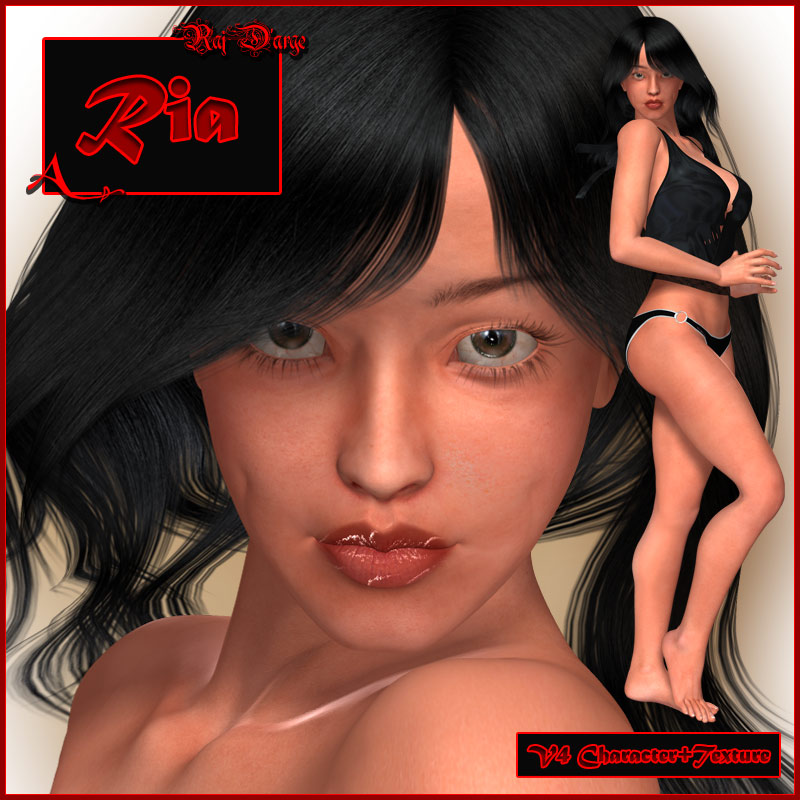
Ria is a pack of texture and character for V4.1 (the full figure is required).
Her skin textures were created using photographs as well as hand painted elements, and they bring out the best of both worlds. She comes with 6 eye colors, 1 Trans-map eye reflection map, shaders eye reflection, Trans-map for lashes, Trans-map for eyebrows and different colors as MAT poses both for the lashes and the eyebrows.
Makeup in this pack is applied using shaders (P5 and above). To get you started, we have included pre-made settings for 7 makeup options (including gothic, Geisha and smudged makeup), but the real kick of this pack is that you can create your own numerous settings very easily within Poser itself. We have included a detailed and comprehensive tutorial to help you around the Material Room in applying and changing the different makeup masks. Also included a useful Python Script for changing the masks and creating settings more intuitively (usage is also explained in the tutorial).
Even though Ria is optimized for Poser 5 and above, we have included MAT poses that are stripped of shaders use, so you can render Ria with the P4 Renderer. Please note that these are not Poser 4 MAT poses! Poser 4 users can use the bump-free MAT pose, or convert the bump images to bum files and load them manually.
So, here's what you get:
- 1 V4 Face MOR/REM.
- 1 V4 Body MOR/REM.
- 1 Limbs Texture Map + Bump Map (4000X4000).
- 1 Limbs Specular Map (550X550).
- 1 Torso Texture Map + Bump Map (4000X4000).
- 1 Torso Specular Map (800X800).
- 1 Head Texture Map + Bump Map (4000X4000).
- 1 Head Specular Map (400X400).
- 1 Head Eyebrow Trans Map (4000X4000) and MAT poses of varied trans colors.
- 26 Head Masks to apply makeup using shaders.
- 6 Eye Texture Maps (1000X1000).
- 1 Eye Bump Map (1000X1000).
- 1 Eye Reflection Texture Map (1000X1000).
- 1 Eye Reflection Trans Map (1000X1000).
- 1 Trans Map for Lashes (2000X2000) and MAT poses of varied trans colors.
- 1 Teeth-Gums Texture Map + Bump Map (2500X2500).
- Corresponding P5,6,7 MAT poses and 7 makeup shader settings to get you started.
- MAT poses for the P4 Renderer (no shaders).
- Python Script with 3 functions: changing makeup masks, copying the "face" material to other face material-zones (like "nostrils"), saving a mc6 file for the face material.
- Detailed PDF explaining how to utilize the makeup shaders and Python Script to make your own makeup settings.
|